Project: Automated Disaster Recovery Tool
In this lab, I developed a custom Python automation tool to perform full site backups of a production web server. Moving beyond manual file copying, this tool leverages the Paramiko library to execute SSH commands and perform secure SFTP file transfers, ensuring business continuity.
1. The Python Script Logic
The core of the solution is a script that automates the "tarball" process. It connects to the Linux server, compresses the entire /var/www/html directory into a timestamped archive, and downloads it locally. Crucially, I implemented Ed25519 SSH Key Authentication to bypass insecure password prompts.
def run_backup():
    # Execute remote compression
    ssh.exec_command(f"tar -czf {REMOTE_ARCHIVE} {REMOTE_PATH}")

    # Secure File Transfer
    sftp = ssh.open_sftp()
    sftp.get(REMOTE_ARCHIVE, LOCAL_DOWNLOAD_PATH)
2. Execution and Verification
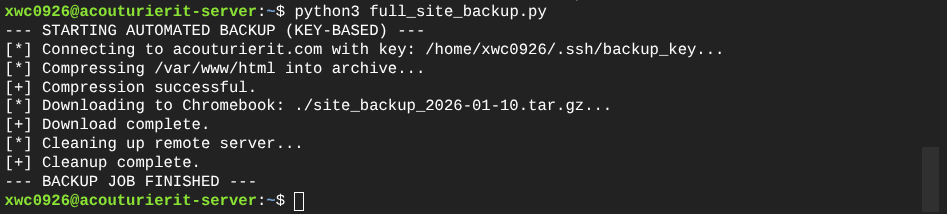
Upon execution, the script successfully authenticates using the private key, compresses the target directory (assets, HTML, CSS), transfers the archive to the local backup server, and performs a cleanup operation to remove temporary files.
3. Scheduling with Cron
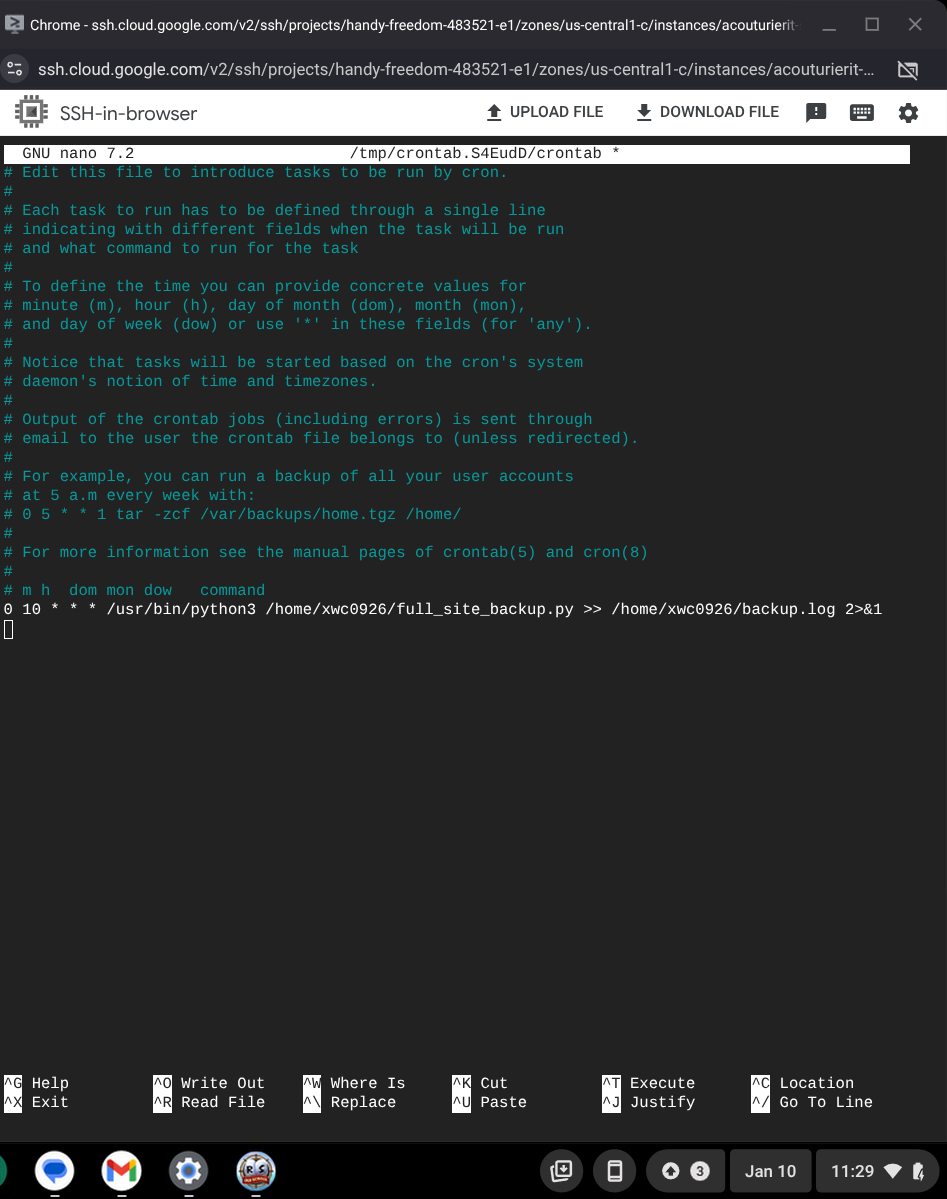
To remove the "human element" from the backup schedule, I installed and configured the Linux Cron service. The job is programmed to execute daily at 10:00 AM, piping all output logs to a local file for audit purposes.
Technical Conclusion
This project demonstrates the use of Python as a DevOps tool. By combining Paramiko for network interaction with Cron for scheduling, I created a "set and forget" disaster recovery system. This automation reduces the risk of data loss and eliminates approximately 20 minutes of manual maintenance work per week.